DBeaver
Internally, we use DBeaver as our primary option for a powerful desktop database tool.
Configure DBeaver
1. Download DBeaver
Go to DBeaver download page and get the latest version.
2. Download Driver
You first need to have the Kubling JDBC native driver on your local machine.
Drivers are published here . Download latest version and
place it, ideally, in the same directory you installed DBeaver.
3. Register Driver
In the top menu, select Database > Driver Manager and then, in the popup window, press New.
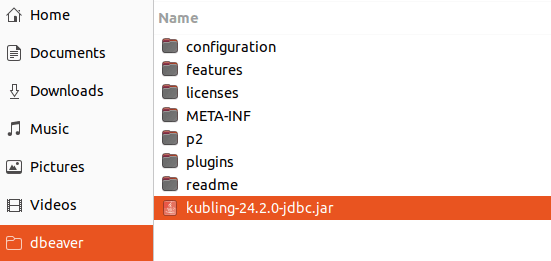
First click on Libraries tab and then Add File. Then select the recently-downloaded driver:
Go back to Settings tab and give the driver a name, like Kubling.
Fill the Class name field with com.kubling.teiid.jdbc.TeiidDriver.
Leave all other fields blank and press OK.
4. Connect to VDB
In the top toolbar, just below the main menu, click on New Database Connection.

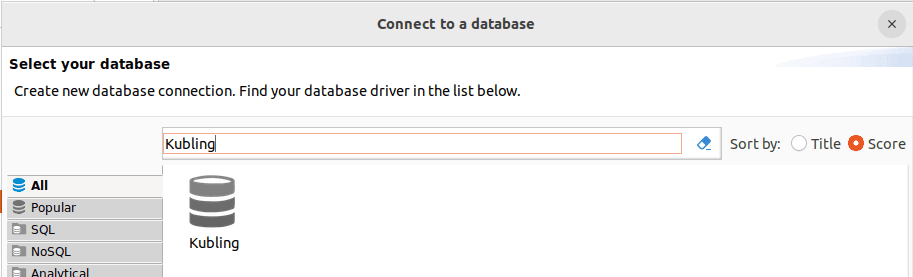
Filter Driver by name:
The connection string has the following components:
jdbc:teiid:[vdb]@mm://[address]:[port]
For a VDB named MyVDB running locally on the default native port, the
connection string is jdbc:teiid:MyVDB@mm://localhost:35482.
Credentials depend on the authentication delegate configured by that VDB. Do not assume that username and password can be left blank.
The Quickstart sample cannot be used for this connection test because it intentionally disables direct client transports and exposes only Kubling’s HTTP port for Studio.
At the bottom of the Connect to a Database popup, there is a button to test the connection. If everything
works as expected, you should see a message confirming that the connection was successful.
You can now explore SCHEMAS, TABLES, COLUMNS, and other VDB objects, and, of course, write SQL in a much more assisted and efficient way.
Secure native protocol
In DBeaver, when connecting to a secured native transport, it is mandatory to pass the connectionPropsFilePath in the JDBC URL:
jdbc:teiid:[vdb]@mms://[address]:[port];connectionPropsFilePath=/path/to/client-settings.properties
See an example here.
Why the standard PostgreSQL driver does not work?
When establishing a new connection, DBeaver fetches metadata from the database. The way Kubling and PostgreSQL expose metadata differs.
Therefore, if you attempt to connect using the standard PostgreSQL JDBC driver, the connection itself will succeed and a session will be opened in Kubling, but DBeaver will fail when trying to retrieve the metadata.